Scrivener earned its reputation. For nearly two decades it has been the default answer to the question “what software should I write my book in?” — and for good reason. It is genuinely powerful, and a lot of beloved novels were drafted inside it. If it works for you and disappears while you write, there is no reason to change a thing.
But search for a Scrivener alternative and you’ll find thousands of writers asking a quieter question: what if the tool itself is the hard part? If you’ve ever lost an evening to tutorials instead of your chapter, or reached for your phone on the train and realized your manuscript wasn’t on it, this guide is for you. Here’s an honest look at why writers switch, what’s worth keeping, and where a simpler tool takes a different path.
Why writers look for a Scrivener alternative
Nobody looks for a Scrivener alternative because Scrivener is bad. They look because of a mismatch between what it offers and what they actually need. The same themes come up again and again:
- A steep learning curve. Scrivener’s depth is its great strength, but depth means panels, modes and menus to learn before the writing feels natural. Many writers spend their first weeks watching tutorials instead of drafting.
- Configuration eats writing time. Compile presets, metadata fields, formatting rules, project templates — the tool invites tinkering, and tinkering is a comfortable way to avoid the blank page.
- Sync can be fragile. Scrivener moves projects between devices through third-party cloud folders. It works, but you have to manage it — open a project before it has fully synced and you can end up with conflicts or lost paragraphs.
- Licenses add up. The one-time price is fair, but it’s per platform: the desktop versions are separate purchases, and mobile is separate again.
What to keep — and what you can let go
Switching tools doesn’t mean abandoning everything that made Scrivener the standard. Some of its ideas are worth keeping in whatever you choose next:
- Chapters and structure. Organizing a manuscript as chapters and scenes you can rearrange beats one endless document. Any successor should do this well.
- Real export formats. DOCX for your editor, EPUB for your ebook. Your manuscript should never be trapped in a proprietary format.
- Goals and progress. Novels are finished in daily sessions, not bursts of inspiration. Word count goals turn “write a book” into “write 500 words today.”
And some of it you can let go without grief. The corkboard, the outliner, the inspector, the compiler with its dozens of settings — powerful, yes, but ask yourself honestly how often you’ve used them. For many novelists, a clean page, organized chapters and a place for notes is genuinely enough.
Where Narrative takes a different path
Narrative is writing software like Scrivener in purpose, but opposite in philosophy. Instead of giving you every feature and letting you configure your way to focus, it removes everything that isn’t the writing:
- Zero configuration. A clean, minimalist editor with focus mode — the interface fades away while you type — plus dark mode and customizable fonts. Open the app and you’re writing.
- Sync that simply works. Your words save as you type and sync in real time, across iPhone, iPad, Mac, Windows, Android and the web. No third-party cloud to set up, no conflicted copies. It works offline and catches up the moment you’re back online.
- Goals and honest statistics. Set a word count goal and quietly track your daily words, your most productive hours and your long-term trends — motivation without gamification.
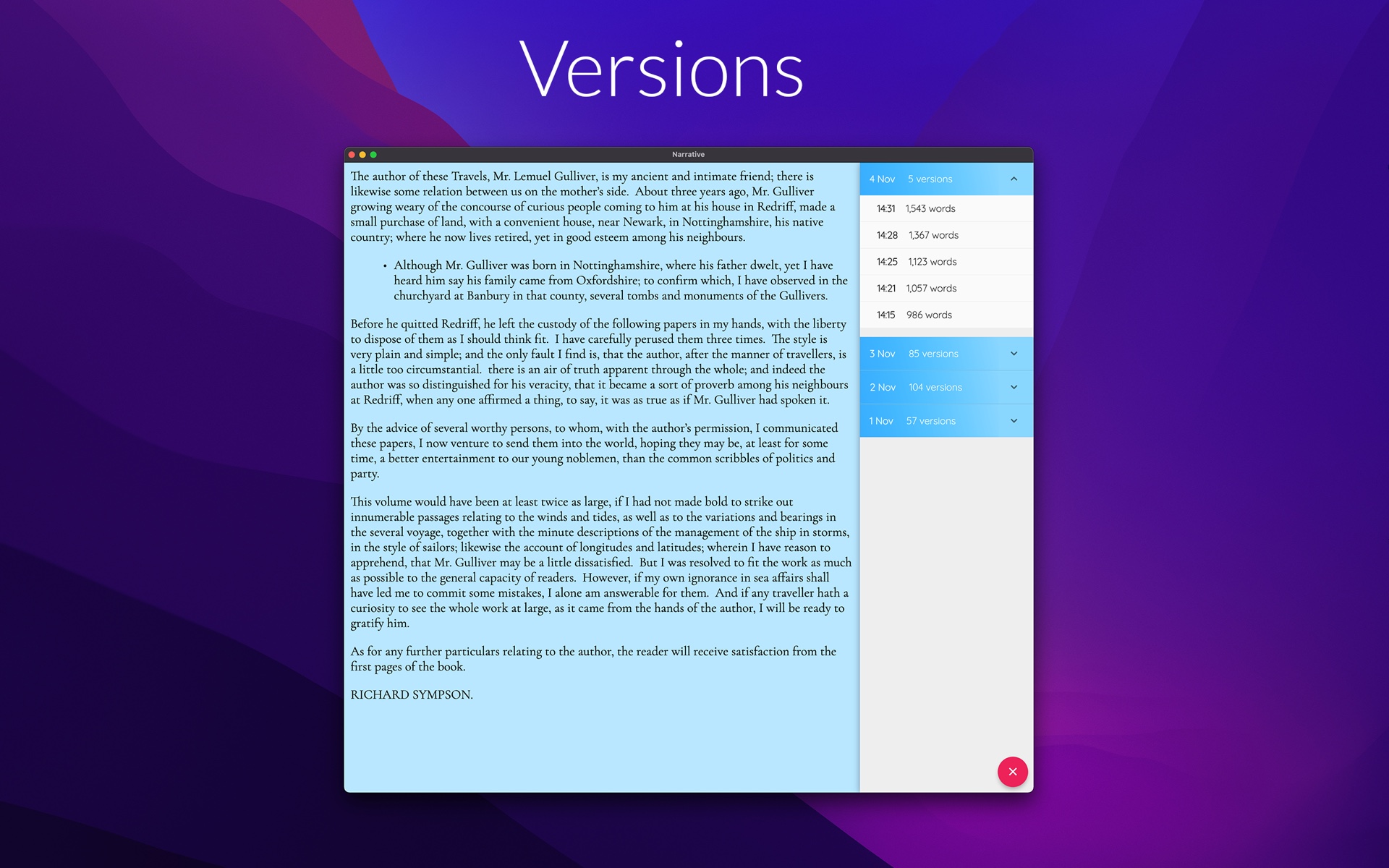
- Safety nets. Automatic version snapshots mean no draft is ever truly lost, and optional smart backups send a DOCX copy to your Dropbox or Google Drive after every session.
- A proofreader in 12 languages. Grammar, spelling and style suggestions you can accept, ignore or switch off entirely. It respects your voice — and there are no AI generators writing for you.
- One subscription, every platform. After a free 14-day trial, $5 a month covers all your devices — no per-platform licenses.

Draft your novel in Narrative
Narrative is a distraction-free novel writing app: a minimalist editor with focus mode and dark mode, real-time sync across iPhone, iPad, Mac, Windows, Android and web — offline too — word count goals with daily, weekly and monthly statistics, and notes attached to your project or chapters. No AI generators: your draft stays entirely yours.
Start NowMoving your manuscript takes minutes
With Narrative, you can import a DOCX or TXT file, split it into chapters, and your book is ready for you again quickly.
And there’s no lock-in on the other side. You can export your manuscript back out to DOCX, TXT or EPUB, and publish straight to the web to share.
Who should stay with Scrivener
Some writers should stay put. If you plot on the corkboard and can’t imagine drafting without index cards, stay. If your publishing workflow runs through Scrivener’s compile system — custom formats, complex front matter, multi-format output — that power is real and hard to replace. And if you’re an academic or non-fiction author keeping a research binder of PDFs, clippings and references alongside your text, Scrivener’s binder is genuinely excellent.
Narrative is for writers who want focus over features, who want a calm space more than a powerful place.
Try the simpler way
The fairest test of any Scrivener alternative isn’t a feature list — it’s to work on a real manuscript. Narrative’s 14-day free trial is fully functional on every platform, with no credit card required. Import a chapter, set a word count goal, and see what a simpler tool does for your daily words.
Start your novel today
Free 14-day trial on every platform — fully functional, no credit card required. Unlimited access for $5/month.